
The Complete Guide to Choosing Multiplication Apps for Your Child
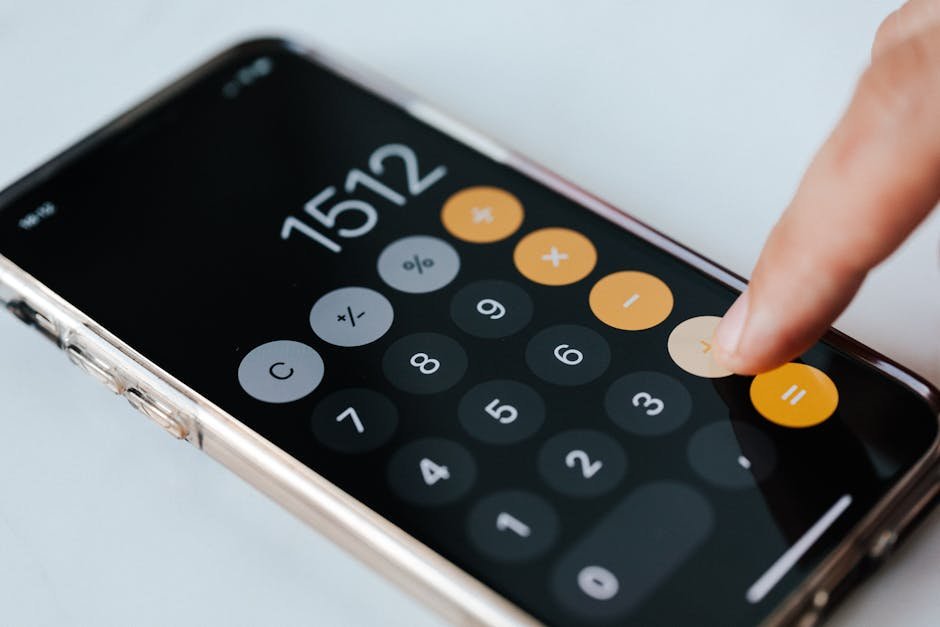
Search an app store for "multiplication" and you get hundreds of results, most with cheerful cartoons and five-star reviews. Picking one for your child can feel like guessing, especially when every listing promises that kids will master their facts in no time.
To make it less of a guess, we sort the options by type, look at what fits each age, list what to look for and the red flags to avoid, and end with how to balance screen practice with practice away from the screen.
What an App Can and Cannot Do
Apps can help, but the gains are usually modest. A 2021 review pooled 36 studies of educational apps for children from preschool through 3rd grade, in math and reading. On average, kids who used the apps did better than kids who did not, but the effect was smaller for kindergarten through 3rd grade than for preschoolers, and smaller on standardized tests than on tests built for the study.
The same review found larger effects for narrow skills than for broad ones. That fits multiplication well. A good app can give a child many repetitions of specific facts, with instant feedback, which is exactly what fact practice needs.
What an app does less well is build understanding of what multiplication means. That still comes from drawing, talking, and the teacher's lessons.
There is also a lot to sort through. A 2015 report from psychologists who study learning counted more than 80,000 apps in Apple's store described as educational, with very little to show which ones actually teach anything.
The Main Types of Multiplication Apps
Most multiplication apps fall into a few broad types. Knowing which type you are looking at helps you judge whether it fits what your child needs right now.
Flash Card and Drill Apps
These show a fact, your child answers, and the app says right or wrong. They are simple and often effective for kids who already understand multiplication and need repetition. The better ones let you pick which tables to practice and mix them up once a table is known.
Game-Based Apps
Here the facts are wrapped in a game: answer correctly to move a character, build something, or win a race. Games can keep a reluctant child going longer, but check how much time goes to the facts and how much to the game itself. Some games ask one question per minute of play.
Adaptive Programs
Some programs, often paid or used by schools, adjust which facts they ask based on your child's answers. Done well, that targets the facts your child misses. Done badly, it hides what your child is practicing. Look for one that shows you which facts are known and which are not.
Browser-Based Practice Sites
Not every tool needs to be installed. Practice websites run in a browser on any computer or tablet, which can be easier to manage on a shared family device. Times Tables Trainer is one of these: a free website, not an app, with practice for each table and printable certificates.
Matching Features to Your Child's Age
A tool that works for a 5th grader can overwhelm a 2nd grader, and the reverse can bore an older child. Think about where your child is in the school year as much as their age.
Second Grade
Most 2nd graders are still learning what multiplication means. Look for apps that show equal groups and arrays, not just numbers. Skip anything with a ticking clock. At this stage, a tool that helps a child count by 2s, 5s, and 10s is more useful than one that drills the 7s.
Third Grade
Third grade is when most kids learn the facts, so practice table by table makes sense, followed by mixed review. Helpful features include a hint or a picture when a child gets stuck, the option to choose which tables to practice, and feedback that shows the correct answer after a mistake.
Fourth and Fifth Grade
Older kids usually need to keep facts sharp and use them in bigger problems. Look for mixed practice across all the tables, word problems, and a way to see progress over time. Many older kids find cartoon-heavy apps babyish, so a cleaner design may keep them practicing longer. At this age, it also helps if your child can open the tool and get started without an adult setting it up each time.
What to Look For
Researchers who study children's apps describe four qualities of apps that actually teach. Kids should be actively thinking, not just tapping. They should stay focused on the learning, without side games or flashy effects pulling them away. The content should mean something to them. And learning goes further when someone talks with the child about what they are doing.
For a multiplication app, that translates into a few practical checks:
- Your child has to produce or choose an answer for every fact, not watch an animation.
- Wrong answers get clear feedback, ideally with the correct answer shown.
- You can choose which tables to practice, or the app shows which ones it is using.
- Facts can be mixed once a table is known, not only asked in order.
- Sessions can be short, with a natural stopping point.
- You can see progress: which facts or tables are done and which still need work.
Privacy matters too. In the U.S., the Children's Online Privacy Protection Act, or COPPA, requires apps and websites aimed at children under 13 to get a parent's permission before collecting personal information.
The Federal Trade Commission notes that parents can ask to see what was collected, withdraw permission, and have it deleted. Read the privacy policy, or at least check whether the app asks for more personal details than it needs.
Red Flags in Kids' Math Apps
Advertising is the most common problem with free apps. A 2019 study of 96 popular apps for children five and under found ads in 95 percent of them and in every free app.
The study looked at apps for young children, not older ones, but it is a good reason to watch closely how a free app pays for itself.
Watch for design that pressures kids to keep playing or spending. In a 2022 study of the apps used by 160 children ages 3 to 5, only about one in five apps was free of manipulative design features, such as characters who pressure a child to keep playing, countdowns that rush a decision, or lures to buy upgrades and watch ads.
Free apps had more of these features than paid ones. Again, these were apps for preschoolers; nothing stops the same tactics from appearing in apps for older kids, so it pays to look.
Other warning signs include:
- Rewards that have nothing to do with math, like unlocking outfits, that take more time than the facts.
- Timers on every activity, even for a child still learning a table.
- Leaderboards with strangers, or chat features.
- Requests for a child's full name, photo, or location.
- Promises that sound too good, like learning every table in a week.
Balancing Apps With Off-Screen Practice
The American Academy of Pediatrics does not set a single screen time limit for all school-age children. Instead, it encourages families to think about the quality of what kids do on screens, not just the minutes, and to make a family media plan with screen-free times such as meals.
For multiplication, a balance might look like this. An app or website handles quick, frequent repetition. Off the screen, your child draws groups and arrays, says facts out loud in the car, plays a card or dice game with a sibling, or solves word problems at the table. Each kind of practice covers something the other misses.
Short screen sessions work best. A few minutes of focused fact practice, then off to something else, keeps the app useful rather than turning it into another way to fill time.
Sit with your child now and then while they use the app. You will learn which facts are hard, whether the app is actually teaching, and whether your child is answering or just tapping until something works.
App Questions From Parents
Are Free Apps Safe for Kids?
Many are fine, but free apps are more likely to carry ads and pressure to buy. Check the privacy policy, look at the app yourself for ten minutes, and turn off in-app purchases in your device settings before your child starts.
How Long Should My Child Use a Math App Each Day?
There is no research-based number. For fact practice, a few focused minutes most days usually beats a long session once a week. If your child is still tapping away after twenty minutes, check whether they are learning or just playing.
Should We Use the Same Program as School?
If the school uses a program and your child can log in at home, it is often a good choice, because the teacher sees the same progress. You can still add a different tool for variety, as long as your child is not overloaded.
What If My Child Only Wants the Game Parts?
That is a sign the game is doing more of the work than the math. Try a simpler tool for a while, or set a rule that a short round of facts comes before any free play in the app. Kids usually accept a clear rule better than a running argument.
Is a Website Different From an App?
Mostly in how it is installed and updated. A website runs in the browser and works on most devices without a download. The same checks apply to both: active practice, clear feedback, no pressure to buy, and a privacy policy you are comfortable with. You can try the homepage of Times Tables Trainer to see what browser-based practice looks like.