
Practicing Times Tables Online: Free and Without an Account
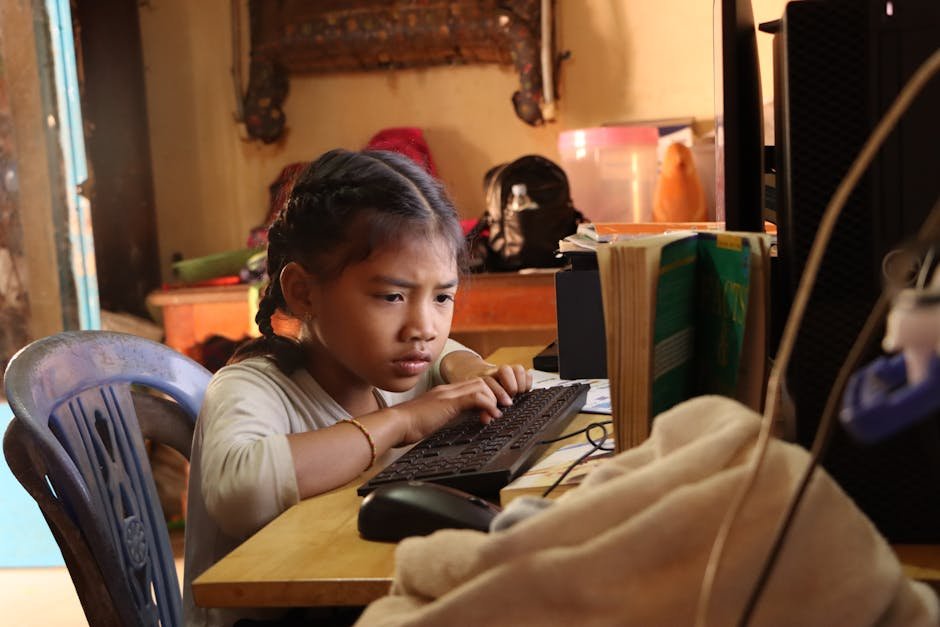
A search for free times tables practice turns up hundreds of sites, some of which want an email address, a sign-up, or a paid upgrade before a child answers a single question. Is any of it worth the screen time?
Online practice can be quick and useful, and it can work without an account. What it does well, three beliefs that do not hold up, and how to make a short session count are all covered below.
What Online Practice Does Well
The biggest advantage of a screen is instant feedback. A child types or taps an answer and knows right away whether it was right. On paper, a wrong answer can sit uncorrected until an adult checks the page, and by then the child may have repeated the same mistake ten times.
A screen also makes mixing easy. Shuffling the facts of a table, or mixing several tables, takes no preparation from a parent, and the order is different every time. That matters because a child who can recite the 6s in order may still stall on 6 × 7 when it comes out of nowhere.
Finally, online practice fits into small gaps. Five minutes while dinner cooks is enough for a round or two, and there are no flashcards to find or worksheets to print.
Myth: A Screen Teaches Faster Than Paper
Studies of screen-based fact practice are small, and their results are mixed. In one inclusive third grade class of 12 students, both an iPad method and a paper method helped, and students gained somewhat more with the iPad.
In a study of six 4th graders with learning disabilities, no method stood out: an app, teacher-led practice, and a mix of both worked about equally well. A study of a 4th grade class outside the U.S. found that practice on a math website did not improve learning more than regular practice did.
The fair reading is that the screen itself is not the active ingredient. What matters is what the child does there: answering from memory, getting feedback, and practicing often in short bursts.
A site that does those things well can be as good as paper. A site full of animations between questions, where a child answers five facts in ten minutes, is not.
A quick test for any site: time one round and count the questions. If most of the minutes go to waiting, watching, or collecting rewards, the practice is thin, however colorful it looks.
Myth: Practice Only Counts If It Is Saved to an Account
It is easy to assume that practice only "counts" after you register. On this site, a child can start right away with no sign-up. Progress is saved in the browser on that device, through cookies, so the stars earned on the family laptop are still there the next day.
An account-style login is useful in two situations. A teacher can set up a class password, so students' stars are saved and the teacher can see them. Parents can do the same with a family password, which keeps a child's progress available across devices. Neither asks the child for an email address.
For most home practice, the browser is enough. The only catch is that progress stays on that one browser: if your child switches from a tablet to a laptop, the stars do not follow unless you use a class or family password.
What Practice Without an Account Means for Privacy
In the U.S., the Children's Online Privacy Protection Act, a federal law from 1998, sets rules for websites and apps aimed at children under 13. Under the Federal Trade Commission's rule, those sites must get a parent's verifiable consent before collecting personal information from a child, with some exceptions.
The FTC lists what counts as personal information. It includes a first and last name, online contact information, a screen name that works as contact information, photos, videos, or recordings with a child's image or voice, and identifiers that can recognize a user over time and across sites.
The FTC even gives a customer number stored in a cookie as an example of such an identifier.
The practical takeaway for parents: a practice site that never asks for your child's name, email address, or photo is collecting fewer personal details than one that does. Before signing up anywhere, check what the site asks for and read its privacy policy. On this site, the privacy policy explains what is stored and why.
Myth: Longer Sessions Mean More Progress
Forty minutes on a practice site is not necessarily better than ten. Attention fades, answers turn into guesses, and the last half hour may add little.
Short, frequent sessions are a better habit. Ten minutes a day, most days of the week, adds up to more useful practice than a single long session on Saturday. Stop while the answers are still coming easily, so the next session starts on a good note.
Sit nearby for the first few sessions. Watching your child practice for a minute or two tells you a lot: which facts come quickly, which ones get a long pause, and whether your child is answering or just clicking.
Making a Short Session Count
A good online session has a clear focus. Pick one table, such as the 7 times table, and work through it step by step. On this site, each table has stars that open in order, starting with the facts in sequence and building toward a short timed round at the end.
When one table is solid, move to the next, and come back to earlier tables now and then so they stay fresh. The certificates mix several tables at once, which is a good check that a child can switch between them.
Pay attention to the facts that cause trouble. If 7 × 8 keeps coming up wrong, practice it away from the screen too: say it out loud at breakfast, write it on the bathroom mirror, or draw it as seven groups of eight.
Online practice works best as one part of a routine, not the whole thing.